dsh-ui-outline
Right-edge turn navigation for DeepSeek Harness (dsh) web — one dash per user turn, hover to expand an outline panel, click to jump.
为 DeepSeek Harness(dsh)web 端提供的右侧轮次导航——每轮一条横线,悬停展开大纲面板,点击跳转。
---
Features
One dash per user turn in a 34px frosted pill (blur(5px)); the dash at your reading position lights up in brand blue and tracks scroll live. Hover to expand a 240px outline panel of turn snippets; click a row to jump. Open/close respond immediately, like the official nav. Light and dark themes follow the official signal.
每轮用户消息一条横线,置于 34px 毛玻璃胶囊内;当前阅读位置品牌蓝高亮、实时跟随滚动。悬停展开 240px 大纲面板,点击条目跳转;开合即时响应,与官方一致。明暗主题跟随官方信号。
| Theme \ State | Collapsed | Expanded |
|---|---|---|
| Light | 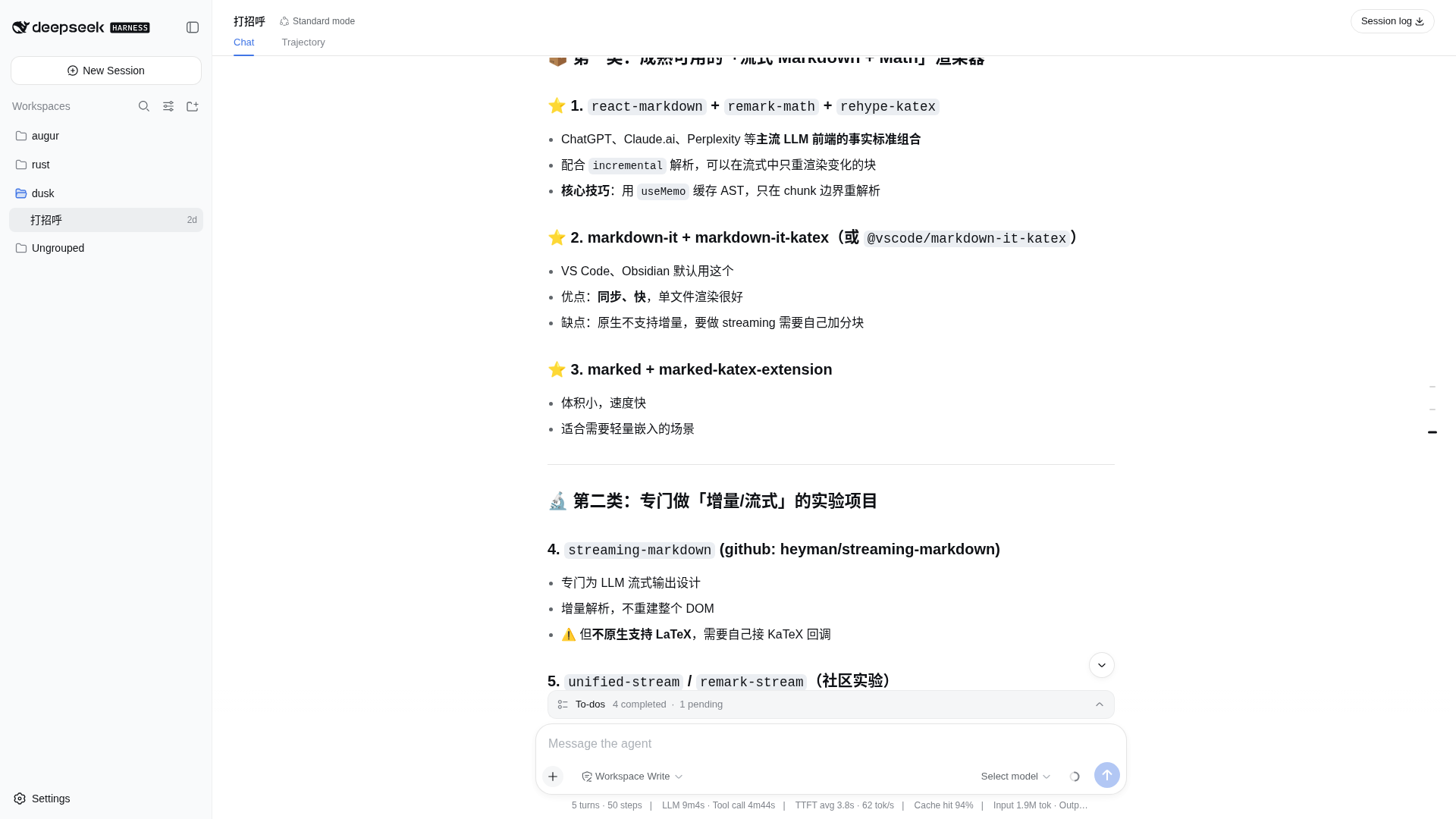 | 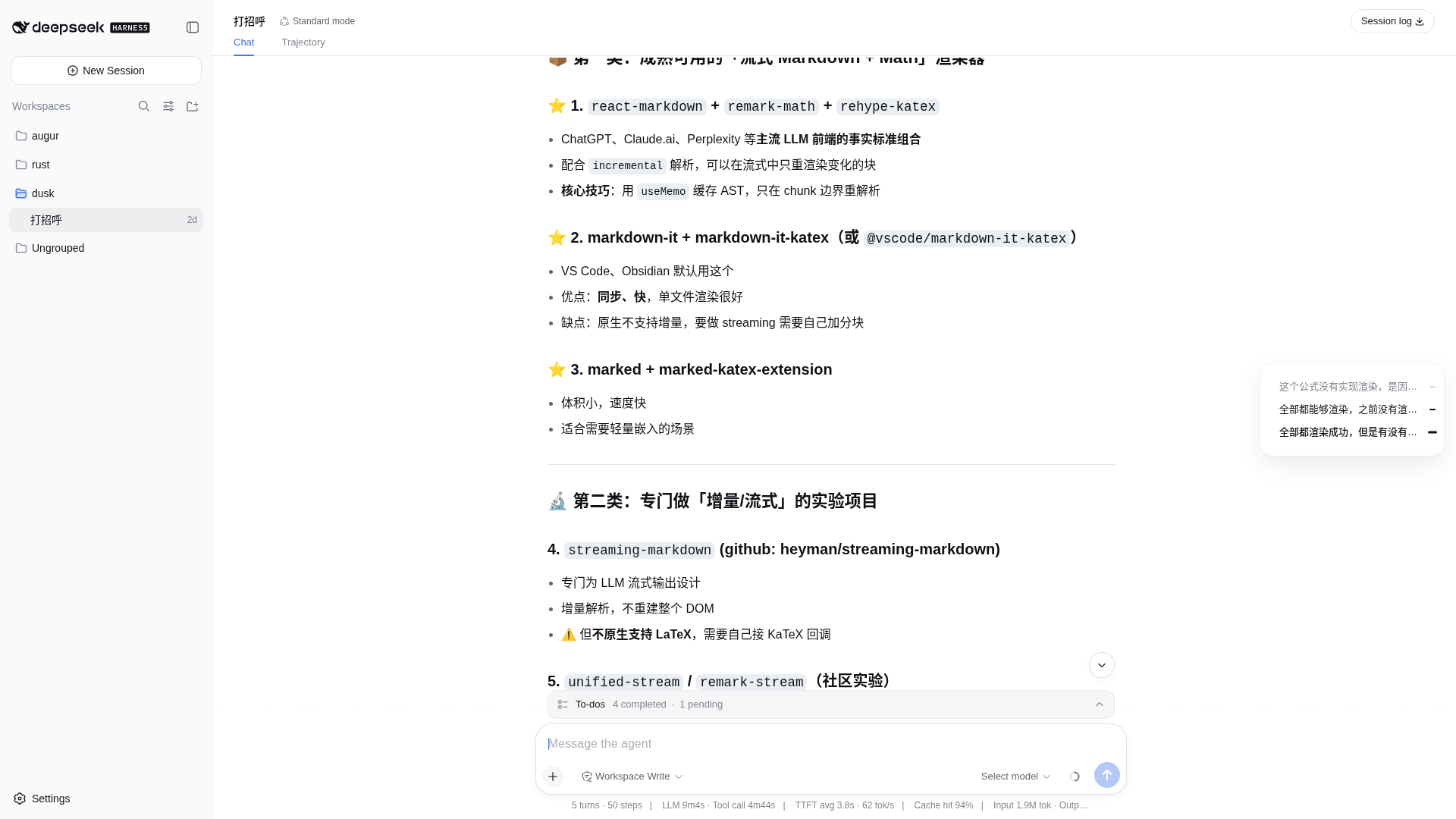 |
| Dark | 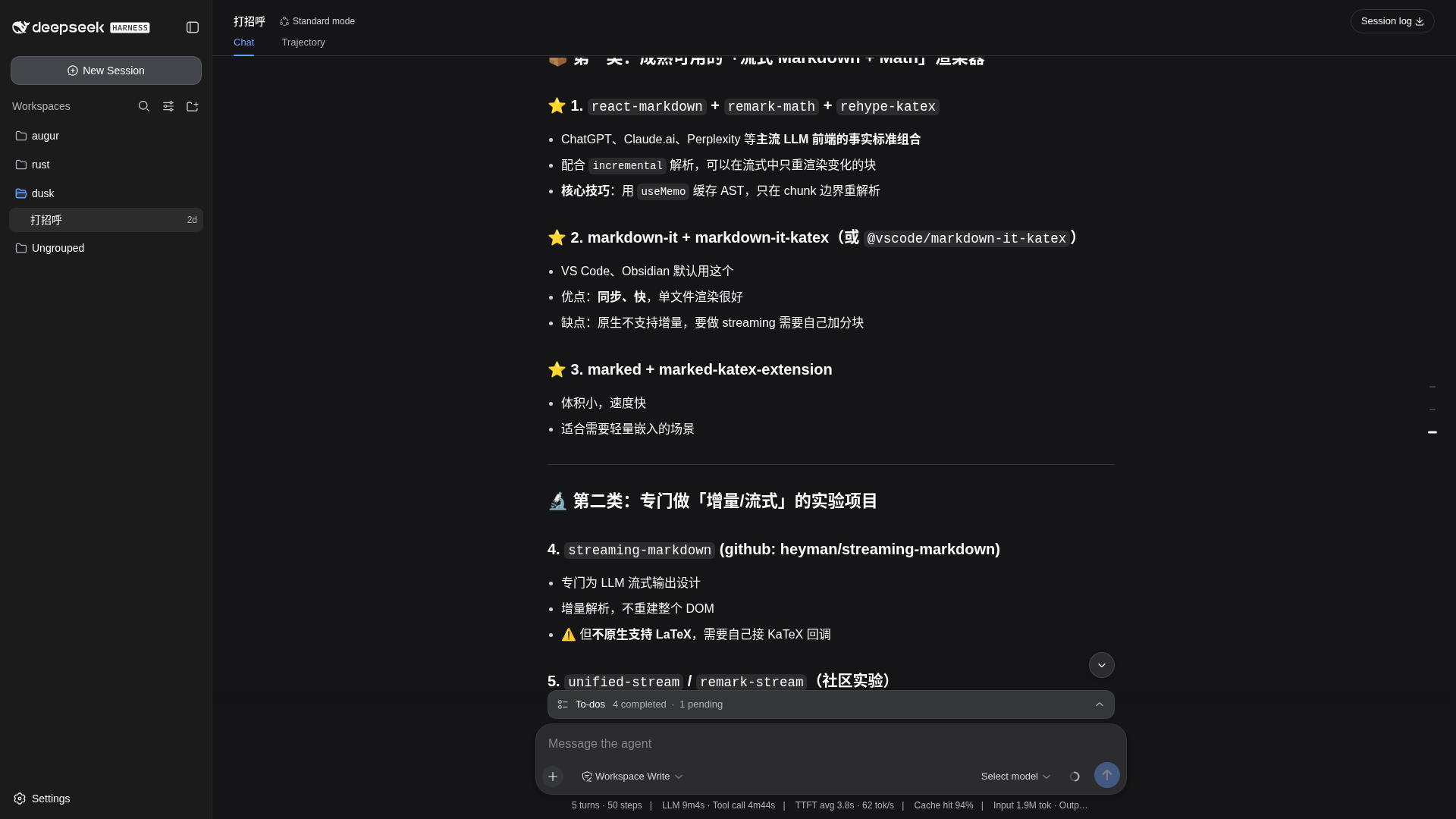 | 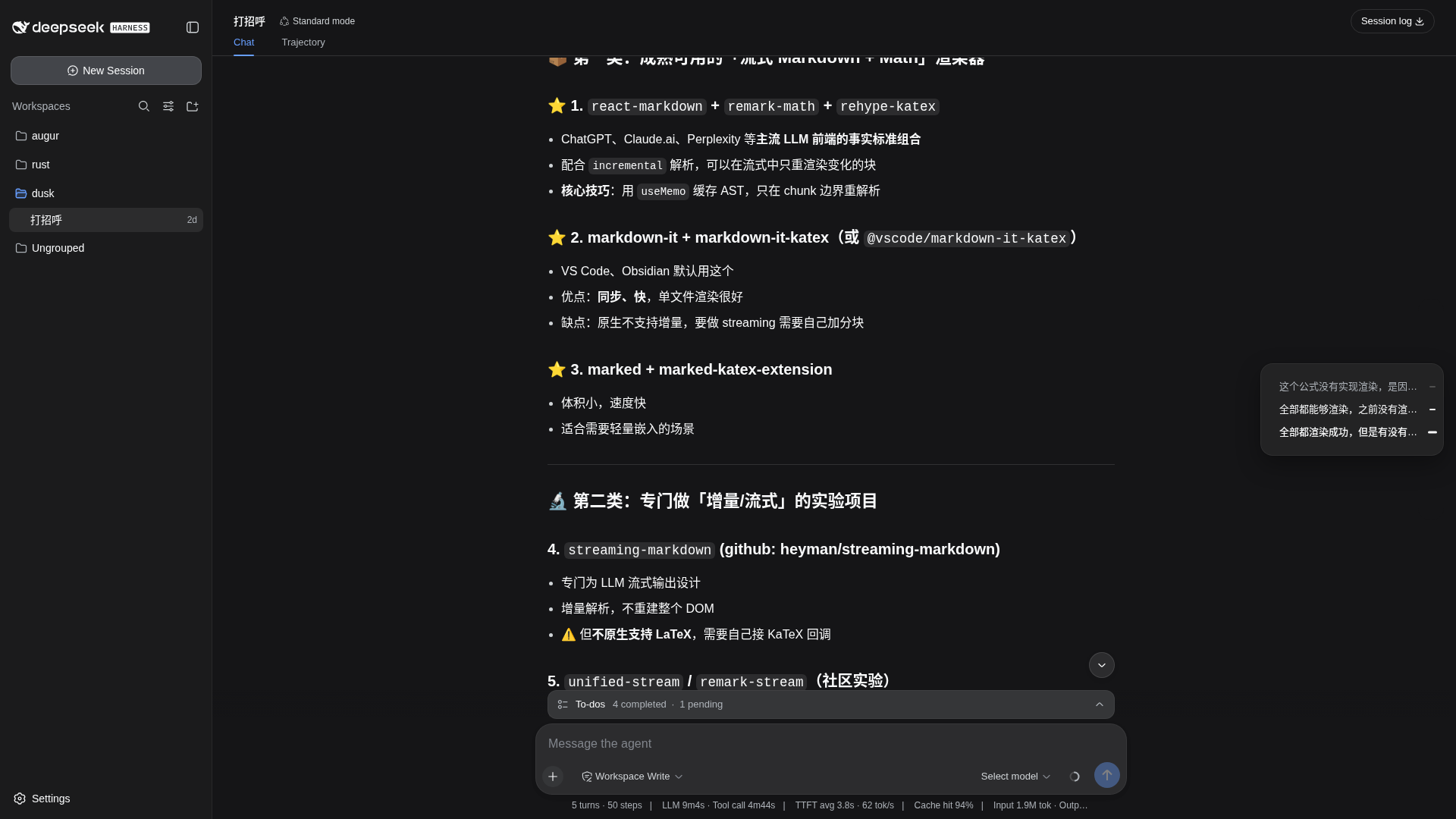 |
2×2 grid (theme × state) from a real dsh web session; thumbnails are zoomed rail close-ups, click through for the full window. 2×2 矩阵(主题 × 状态)均来自真实 dsh web 会话;缩略图为轨道局部放大,点击可查看完整窗口截图。
Install
dsh plugin --profile web add dsh-ui-outline
# or: dsh plugin --profile web add github:iluluyu/dsh-ui-outline
Restart dsh web and reload. Uninstall: dsh plugin --profile web remove dsh-ui-outline.
重启 dsh web 并刷新浏览器即可。卸载:dsh plugin --profile web remove dsh-ui-outline。
Design parity
Colors, radii, shadows and motion curves follow the official design tokens (--dsw-alias-*), resolved live from the host page with fallbacks, so the plugin stays visually consistent with dsh and the DeepSeek site.
颜色、圆角、阴影、动效均跟随官方设计 token(--dsw-alias-*),优先实时读取宿主变量、官方实测值兜底,与 dsh 及官网视觉保持一致。
Development
Zero-build: lib/ is both source and artifact. Turn discovery is DOM-based ([data-conversation-scroll], [data-chat-flow-kind="user"]), decoupled from the snapshot API.
零构建:lib/ 既是源码也是发布产物。轮次发现基于稳定 data 属性,与快照 API 解耦。
node --check lib/client.js      # syntax gate
python3 test/make-parity.py # regenerate style-parity fixture| File | Role |
|---|---|
cordis.yml | bundle patch: one loader row into the Web profile |
lib/index.js | node half (no behavior) |
lib/client.js | browser half: registers into the shell.overlay seat |
Performance
The rail costs nothing while you read: scroll tracking reads one rect per frame and binary-searches cached turn offsets, refilled only when the conversation DOM changes; streaming reuses unchanged row objects, so a settled outline re-renders nothing; snippets read textContent, never the layout-forcing innerText.
阅读期间轨道零开销:滚动每帧仅读一次矩形,在缓存的轮次偏移上二分查找,仅当会话 DOM 变化时重填;流式输出时复用未变化的行对象,静止的大纲不产生任何渲染;摘要读取 textContent,绝不触发强制重排。
License
MIT